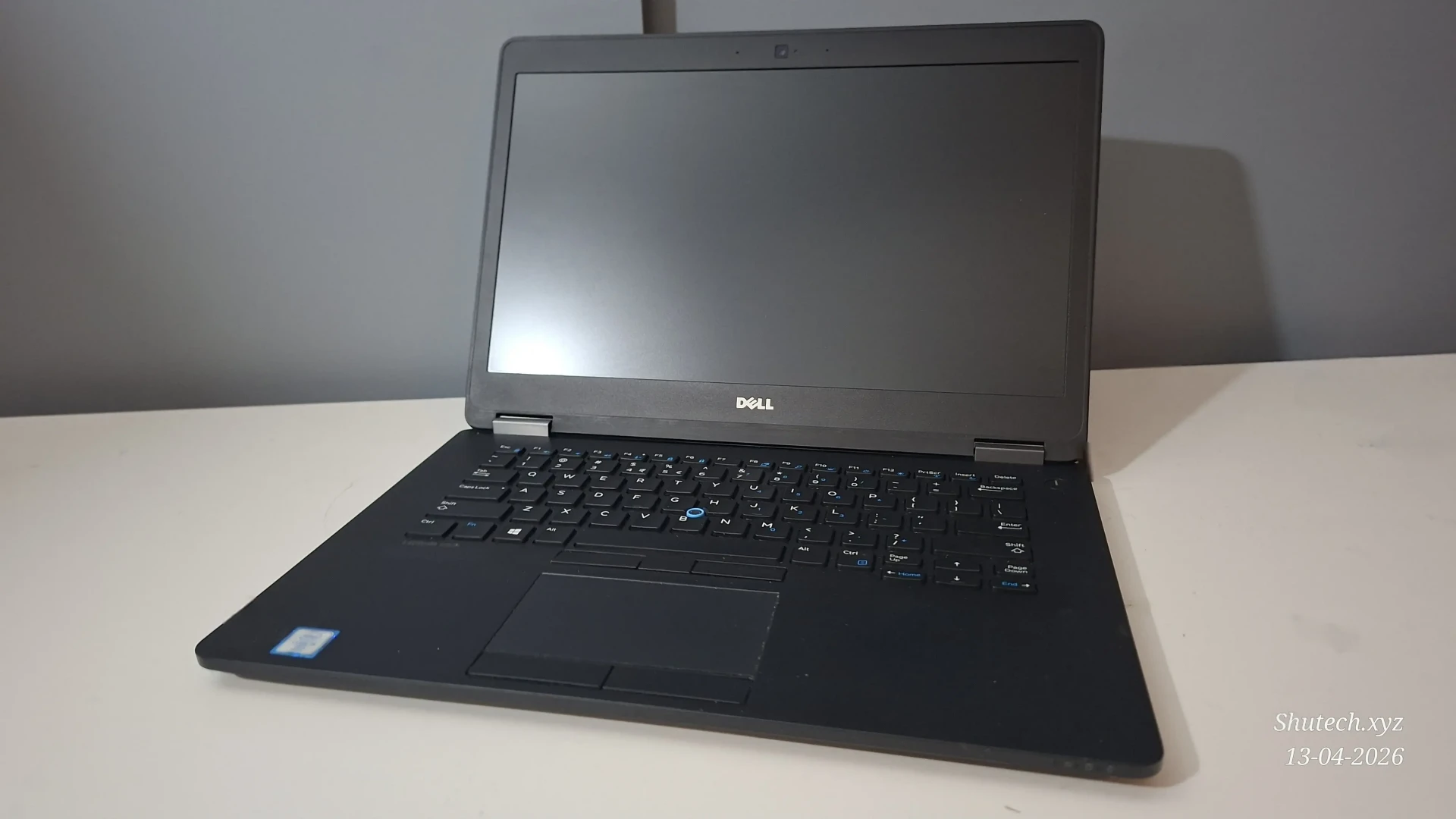
I bought a laptop for just €60,-
I was not looking for a laptop at all as I am going to need a more beefy laptop after I graduate from highschool and finish my gap year. But when I was away for a day I stumbled upon this laptop that only cost €60. For this price I went ahead and asked one of the workers what the battery health was and if I could see the specs of it and they showed me. The specs seemed decent enough to keep me rolling doing basic tasks and the battery was marked as excellent in the BIOS. I looked some stuff up about the laptop and figured that it would be worth it to buy the laptop, even though the 60 Euro's price tag seemed pretty suspicious. So is there a catch and can this laptop hold up in 2026? Let's find out.
The specs and ports
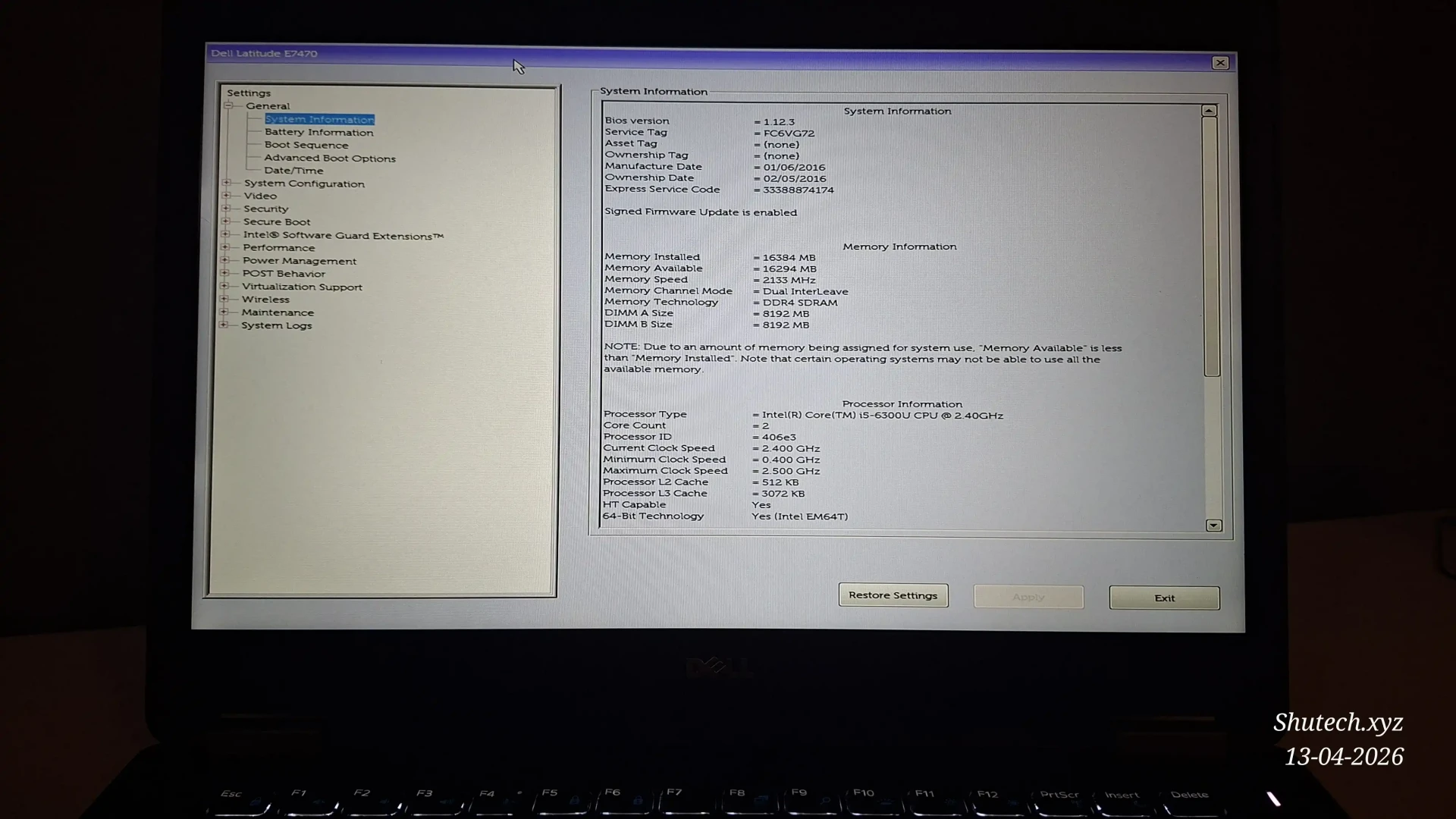
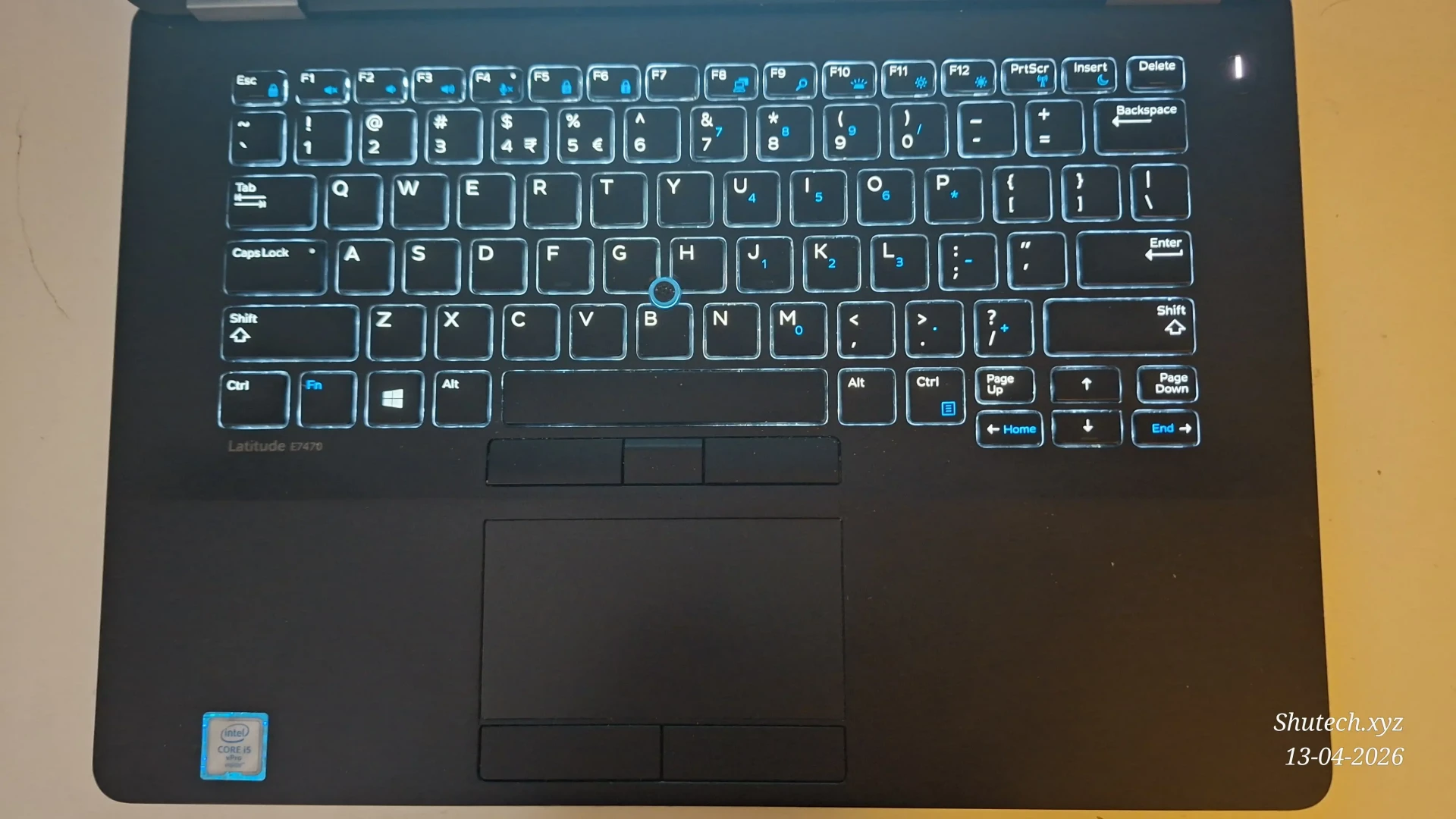
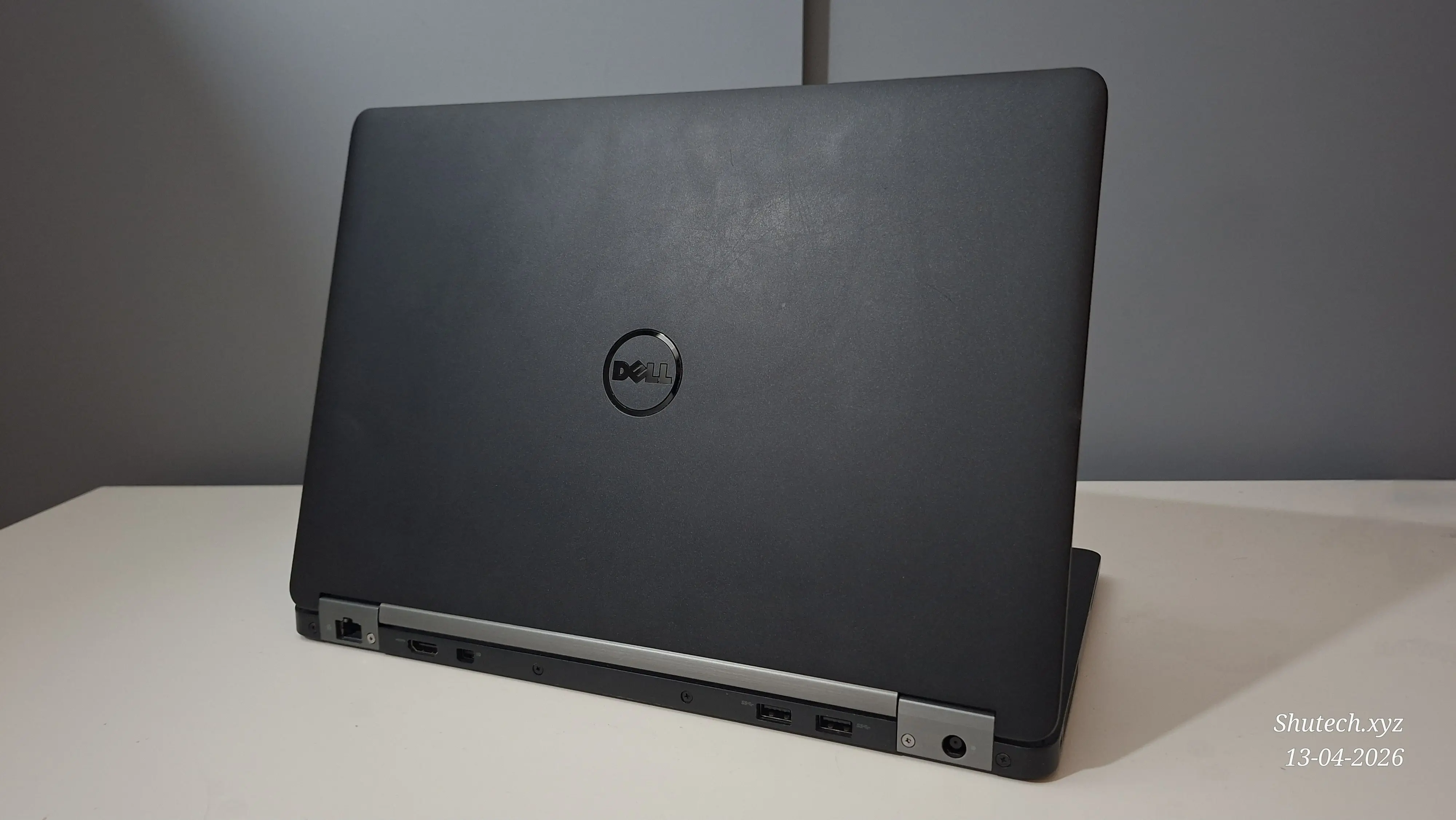
The laptop I bought is a Dell Latitude E7470. The one I bough came with a Intel Core i5 6300U, 128GB M.2 SSD, 8GB of DDR4 2133MHz RAM and no Wi-Fi card. There are options with Intel Core i3 and i7 CPU's as well. 8GB of ram is enough right now but it also is upgradeable as it is replaceable and there is a second memory slot. The selection of ports is decent. There are three USB 3.0 ports, one of which with powershare.One of the USB ports is on the right, where a MicroSD Card slot and combo 3.5mm audio jack are also present. Altough there is a SIM-Card slot you need a WWAN module to use this and there was no WWAN module included so I could not test it out. The back, alongside two of the USB 3.0 ports, has an Ethernet jack, Mini DisplayPort and a full-sized HDMI port. On the left we have a kensington slot, some ventilation vents and card reader. Unlike my old laptop from 2012 this laptop does not have any ports at the front. The screen is a 1080p seemingly VA panel at 60Hz without touchscreen (There are other models of the Latitude E7470 that do have touchscreen). The display is driven by the Intel HD520 iGPU from the processor. This is not a great GPU by any means, but it should be able to at least get tasks done. The keyboard is nice to type on and has the trackpoint thing in there. On these smaller 14-Inch laptops I think you won't find a numpad at all. But what you will find on this laptop is a backlit keyboard. This can be a really nice feature when working in the dark. I do not work in the dark at all but I can understand that this is an important thing if you do so. The battery is not big or small with 55Wh. This is a bit above average of what I am used to as laptops I have previously had a capacity between 39Wh and 44Wh.
| Specs | Hardware | Notes |
|---|---|---|
| CPU | Intel Core i5 6300U | * |
| GPU | Intel HD520 | Integrated with CPU |
| RAM | 8GB DDR4 2133MHz (1x8GB) | Upgraded to 16GB DDR4 2133MHz (2x8GB) |
| Storage | 128GB M.2 SATA SSD | Upgraded to 512GB M.2 NVMe SSD |
| Battery | 55Wh Dell | Battery health of 79% |
| Display | 14 Inch 1080p 60Hz | Panel seems VA, I am not sure |
Build quality and condition
The build quality of the laptop is solid. The laptop is made of aluminium alloy which feels nice to the touch but it's also a pretty strong material. The laptop was pretty dirty when I got it but after wiping it down with Isopropyl alcohol and cleaning the sreen with screen cleaner it looked in good condition apart from some smaller scuffs and scratches. The battery seems to be the original one and in both Debian and Fedora the laptop shows a battery health of 79% which means the maximum capacity of the battery. The screen has no dead pixels and there is no cracks in the laptop at all. The screen hinges seem strong and look to be in good condition as well. The screws of the bottom shell are captive and so not replaceable. This annoys me a bit as one of the only issues I have with the laptop is that a few screws are overturned which makes the bottom shell a bit less secure in place. I also think it looks like some clips snapped off but I am not sure about that. There is no flex when using the keyboard or touchpad which shows the quality of such business laptops. Also noticeable is the trackpad which has all clicking buttons underneath or above it. The trackpad is purely to move your cursor and clicking it is done via the buttons above and underneath instead of inside the touchpad. You can touch to click on the touchpad but using the buttons works better in my experience. This just takes some getting used to and after you are used to it you will end up doing it pretty naturally. The only big issue with this laptop is Wi-Fi. After installing my own Wi-Fi card as there wasn't one included the antenna's quickly came off and did not want to be put back in place. As I already had a hard time installing the antennas on the Wi-Fi card, even though it went smoothly for me in three laptops before, I came to the conclusion that the antennas were seemingly faulty. This led to me having to use USB adapters for both Wi-Fi and Bluetooth connectivity. I bought seperate adapters for this but there are some USB adapters that do both Wi-Fi and Bluetooth. As far as I've seen they will cost around 18 Euro's for an AX900 with Bluetooth. I bought both a AC1200 Wi-Fi and Bluetooth 5.4 USB seperately from eachother which cost me about 22 Euro's. On wired networking with the built-in ethernet port the ethernet tends to disconnect when you move the laptop too much. I do not think this is an issue as I feel like using ethernet is mostly done when not moving the laptop around lot. These are the only issues that I found with this laptop, which does not seem too bad to me.
Performance
This Dell Latitude seems of good quality for me and is newer than my old laptop (which was from 2012). But that it is newer definitely does not mean it is faster. When the laptop is in performance mode it performs about the same as my previous laptop with a Intel Core i7 3610QM. When putting this laptop in power-saving mode it clearly is some bit slower but it also uses way less power. I checked this within Debian which shows a power usage of between 5 and 10 Watts whereas my old laptop would consume at least double that 10 Watts if not much more. This seems pretty normal to me though as the old CPU seemed to have less to no support for C-States which allows for better power management. Back to battery life I can type in my HTML and CSS documents for several hours when the laptop is in power-saving mode where my old laptop only lasted a maximum of one and a half hour. The performance is good enough to watch 1080p30 videos and do any office work and web browsing. This makes the laptop perform well enough for me as I mostly intend to watch YouTube, write docuements, work on my website and do some basic stuff I need to do for my school. I would like to try and see what the battery would perform like when I replace it but this would cost me around 70 Euro's making it not worth it for me. The only lack of performance to me is on the GPU as the Intel HD520 graphics are far from fast. This is no problem though most of the time as I can even play some Minecraft on here.
Conclusion
For just €60 I think this was a pretty good deal. Apart from the ethernet sometimes disconnecting when moving the laptop and having to use two of the three USB ports just for Wi-Fi and Bluetooth this laptop seems like a complete device. Even though the laptop is a decade old it has three USB 3.0 ports, one allowing you to charge connected devices. The build quality is great and feels sturdy. The keyboard is nice to type on and is backlit, whereas the touchpad and the buttons of it feel nice in use as well. With the good condition and fairly wide selection of ports I feel like this laptop was worth the money, though knowing that Wi-Fi and Bluetooth did not work because of bad antenna's would not have been bad either. As this laptop uses an effecient but older CPU the performance is clearly worse than what laptops deliver nowadays, but clearly enough for getting some work done and occasionally watching YouTube. The battery life of around 3 and a half hours of active use has proved me that this laptop is definitely worth it to me. So if you can find a simmilair deal on a laptop or really this laptop for under 90 Euro's or USD I think this could be a great deal, especially when you get 8GB RAM pre-installed and have Wi-Fi working out of the box. I feel like I can recommend this laptop to anyone who would not mind using Windows IOT LTSC or Linux and wants a laptop to do some simple daily tasks that do not require powerful hardware.